HTTPS#
HTTP#
An insecure site uses “HTTP” (HyperText Transfer Protocol), while a secure website uses “HTTPS” (S stands for Secure).
Process:
When we type in user/password, the info lives in the local machine, once we click on “login” the machine sends a JSON file (internet communicates via JSON), which is transmitted as binary. This is known as a REQUEST. This message is intended to the server which in return sends another JSON with a RESPONSE.
In order to send this binary request, we need a medium where we send the data, this is called the Transmission Medium. For example, through radio waves (transmission medium) a laptop can transmit data to the router, and the router transmit the data to the server via some physical medium, electrical signals (cable) or light signal (optic fiber), to the server.
When data is the transmission medium, there is nothing that keep a “middle man” from intersecting the signals. If the transmitted data is pure text, like credentials, without any sort of encryption, then the middle man is able to read all the traffic.
Communication without encryption, as it is, is what is known as HTTP. When the browser detects that a site uses HTTP it instantly warns the user with the classic “Connection not secure” message.
HTTPS#
As mentioned, the additional feature that add the S to HTTPS is encryption. The encryption method is by key (AES256), meaning that with a key (a string) we can encrypt the out data, and then send that encrypted data to the servers, if a middle man intersects it, it’s encrypted.
But if it’s encrypted, neither the receiving server will be able to read the data. If I send the key along the data, a middle man can easy get access to it. This is solved using “Asymmetric Encryption”, which consists in having 2 keys, one from encryption and one for decryption. The sender sends key encrypted data and the receiver has the decryption key locally secured, it never got exposed. This way, if the middle man, even if in possession of the encryption key, cannot see the data.
How this works? How does the server knows which decryption key to use? Well, we have to add and additional communication step to process. Before sending the actual data, the sender tells the receiver “I want to send you data” and the receiver sends back a Public encryption key. This key is accessible by everyone, what it is protected is the decryption key. These keys are known as the Public and the Private keys.
So now the sender has a public encryption key. If the data is encrypted using this key, then we are in an asymmetric encryption situation. This works in the sender way, but what about backwards? What if the server wants to send data to the user? In this situation the ideal is to have a “symmetric encryption” situation.
Now, here comes the clever part. If locally the user have an encryption key, with which the sending data is encrypted and decrypted, then how it can be securely sent to the server? Well, using the public key. If the symmetric key is sent encrypted by the public key, just the server can known its content, and now both have the key safely.
Now, you know what they say “Where there’s a will, there’s a way”, and this system has a big flaw. There is this hacking attack called “man in the middle”, that get into the first communication step. So when the sender is calling “hey I want to send you some data”, a middle man can disguise as the meant receiver and send back a fake public key, giving the sender what it wants, a secure connection, but with the attacker.
So now we nee to ensure the public key is from the server. We do that with a “Certification Authority”.
Certification Authority#
It is a third party trusted by the browser. To get to be a certification authority, first you must pass a rigorous process, that’s why there are just 12 authorities worldwide:
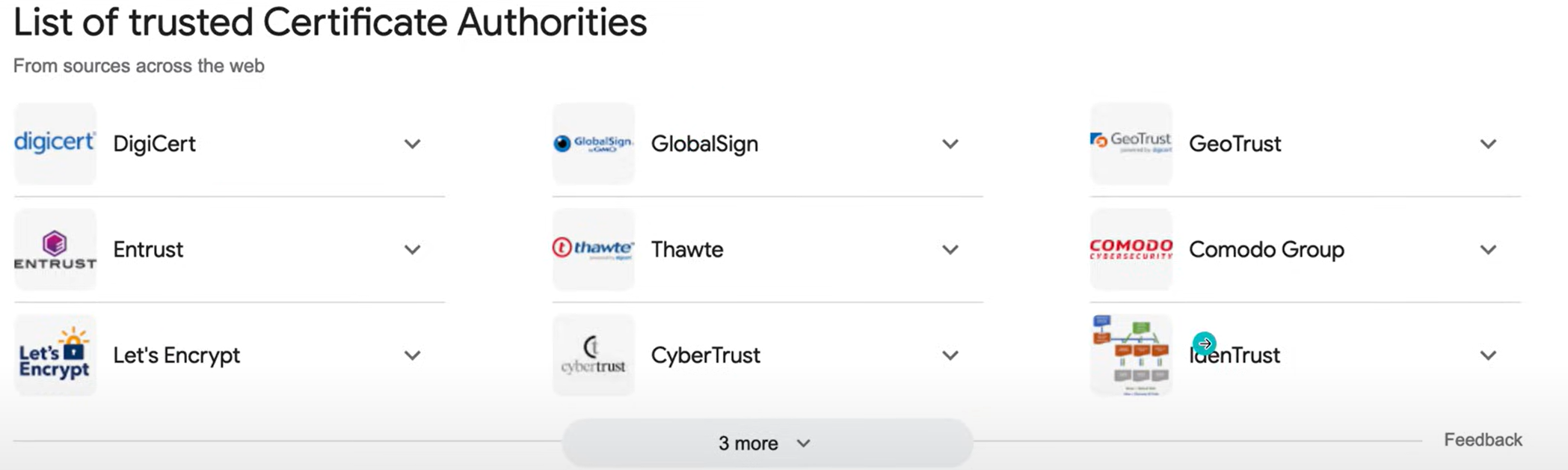
Certification authorities.#
The certification process starts between the server and the authority. The server sends its public key to the authority, and the authority responds with a “certificate”. This certificate, have the following info:
Server id
Authority id
Server public key
Encrypted server public key
The encrypted server public key is commonly known as the “Signature” of the certificate. The encryption is done by an authority’s private key, which means that only the authority knows how to encrypt it.
Now, when the user wants to communicate with the server and send the “hey I want to send you some data”, the server responds with not with a public key, but with a certificate. The user machines takes the certificate, checks that the server id match, and sends a message to the named authority “hey I want to check if this communication is safe with this server, here is the certificate”. The authority responds with a public key, which is used by the user to decrypt the “Signature” (encrypted server public key). Now the user checks if the decryption matches the public key in the certificate, if so, the connection is secure and is safe to use HTTPS.